

English
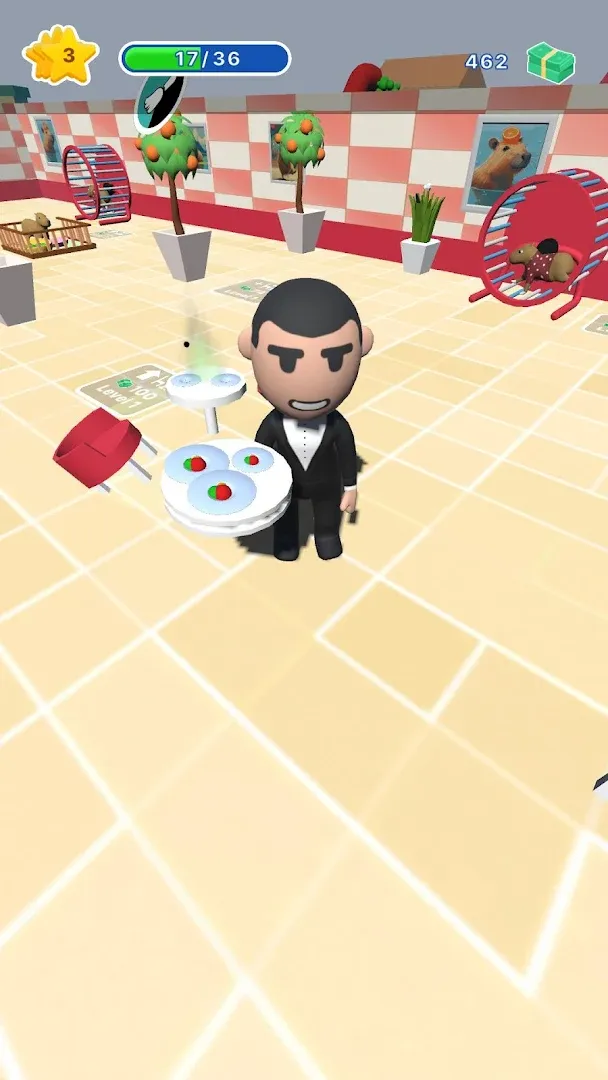
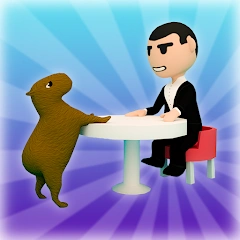
Capybara Cafe! v0.2
0.2
Phiên bản
19 Th06 2024
Ngày cập nhật
0
Tải xuống
79.99MB
Dung lượng
Chia sẻ Capybara Cafe!
Tải xuống nhanh
Tính năng mới
new api
Thông tin bổ sung
Phiên bản mới nhất:
0.2
Loại:
Mô phỏngNhà cung cấp:
iddqd.hyper
Có sẵn vào:

Trò chơi này được người dùng tự tải lên, LeLeJoy chỉ cung cấp dịch vụ lưu trữ. Nếu có vấn đề về bản quyền, vui lòng liên hệ [email protected], chúng tôi sẽ xử lý kịp thời.
Thông tin bổ sung
Phiên bản mới nhất:
0.2
Loại:
Mô phỏngNhà cung cấp:
iddqd.hyper
Có sẵn vào:
Trò chơi này được người dùng tự tải lên, LeLeJoy chỉ cung cấp dịch vụ lưu trữ. Nếu có vấn đề về bản quyền, vui lòng liên hệ [email protected], chúng tôi sẽ xử lý kịp thời.
Tương tự như Capybara Cafe!











Recommended for you





Capybara Cafe! FAQ
1.How do I manage my cafe's inventory in Capybara Cafe!?
You can manage your cafe's inventory by visiting the 'Inventory' section in the main menu. Here, you can view, sort, and restock items for your cafe.
2.Can I customize the look of my cafe in Capybara Cafe!?
Yes, you can customize the look of your cafe by using decor items found within the game. Visit the 'Decor' section to select and place items around your cafe.
3.How do I level up my customers in Capybara Cafe!?
Level up your customers by serving them their favorite dishes repeatedly. As they level up, they will become more satisfied and bring in more friends.
4.What is the purpose of the 'Special Orders' feature in Capybara Cafe!?
The 'Special Orders' feature allows you to take on unique requests from customers that require specific items or dishes. Completing these orders rewards you with extra coins and experience points.
Capybara Cafe! FAQ
1.How do I manage my cafe's inventory in Capybara Cafe!?
You can manage your cafe's inventory by visiting the 'Inventory' section in the main menu. Here, you can view, sort, and restock items for your cafe.
2.Can I customize the look of my cafe in Capybara Cafe!?
Yes, you can customize the look of your cafe by using decor items found within the game. Visit the 'Decor' section to select and place items around your cafe.
3.How do I level up my customers in Capybara Cafe!?
Level up your customers by serving them their favorite dishes repeatedly. As they level up, they will become more satisfied and bring in more friends.
4.What is the purpose of the 'Special Orders' feature in Capybara Cafe!?
The 'Special Orders' feature allows you to take on unique requests from customers that require specific items or dishes. Completing these orders rewards you with extra coins and experience points.
Đánh giá
0.0
1
2
3
4
5
Xếp hạng ứng dụng này
Đánh giá
Chưa có đánh giá nào
![[object Object]](https://cfs-lele-res.lelejoy.com//xt_20231009160759/fltb_20231009160835/strategy_20240906151247.png)
![[object Object]](https://cfs-lele-res.lelejoy.com//xt_20231009160759/fltb_20231009160835/puzzle_20240906151806.png)
![[object Object]](https://cfs-lele-res.lelejoy.com//xt_20231009160759/fltb_20231009160835/board_20240906151319.png)
![[object Object]](https://cfs-lele-res.lelejoy.com//xt_20231009160759/fltb_20231009160835/educational_20240906151731.png)
![[object Object]](https://cfs-lele-res.lelejoy.com//xt_20231009160759/fltb_20231009160835/simulation_20240906151428.png)
![[object Object]](https://cfs-lele-res.lelejoy.com//xt_20231009160759/fltb_20231009160835/music_20240906151613.png)
![[object Object]](https://cfs-lele-res.lelejoy.com//xt_20231009160759/fltb_20231009160835/role playing_20240906150659.png)
![[object Object]](https://cfs-lele-res.lelejoy.com//xt_20231009160759/fltb_20231009160835/adventure_20240906150827.png)
![[object Object]](https://cfs-lele-res.lelejoy.com//xt_20231009160759/fltb_20231009160835/casual_20240906151116.png)
![[object Object]](https://cfs-lele-res.lelejoy.com//xt_20231009160759/fltb_20231009160835/cards_20240906150736.png)
![[object Object]](https://cfs-lele-res.lelejoy.com//xt_20231009160759/fltb_20231009160835/sports1_20241231162729.png)
![[object Object]](https://cfs-lele-res.lelejoy.com//xt_20231009160759/fltb_20231009160835/arcade_20240906151459.png)
![[object Object]](https://cfs-lele-res.lelejoy.com//xt_20231009160759/fltb_20231009160835/action_20240906150554.png)
![[object Object]](https://cfs-lele-res.lelejoy.com//xt_20231009160759/fltb_20231009160835/word_20240906151903.png)
![[object Object]](https://cfs-lele-res.lelejoy.com//xt_20231009160759/fltb_20231009160835/racing_20240906151358.png)
![[object Object]](https://cfs-lele-res.lelejoy.com//xt_20231009160759/fltb_20231009160835/trivia_20240906151841.png)

