

English

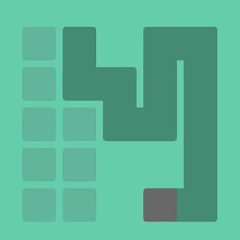
One Stroke Drawing:Connect dot v1.0.1
1.0.1
Bersyon
Hun 14, 2024
Na-update noong
0
Mga download
24.64MB
Laki
Ibahagi One Stroke Drawing:Connect dot
Mabilis na Pag-download
Tungkol sa One Stroke Drawing:Connect dot
Ikonekta ang mga tuldok sa isang solong, tuluy-tuloy na linya, nang hindi inaalis ang iyong daliri sa screen!
Maaari ka lamang gumuhit ng linya nang sunud-sunod mula sa isang punto patungo sa isa pa, kaya siguraduhing hindi ka gagawa ng maling hakbang.
Ang bawat antas ay natatangi at may iba't ibang antas ng kahirapan. Kung nahihirapan ka o deadlock sa pagkumpleto ng puzzle, maaari kang gumamit ng mga libreng tip.
Maaari ka lamang gumuhit ng linya nang sunud-sunod mula sa isang punto patungo sa isa pa, kaya siguraduhing hindi ka gagawa ng maling hakbang.
Ang bawat antas ay natatangi at may iba't ibang antas ng kahirapan. Kung nahihirapan ka o deadlock sa pagkumpleto ng puzzle, maaari kang gumamit ng mga libreng tip.
Mga Tag
Karagdagang impormasyon
Pinakabagong Bersyon:
1.0.1
Mga Kategorya:
KaswalIniaalok ng:
Tay Can Team
Magagamit sa:

Ang larong ito ay in-upload ng mga user, at ang LeLeJoy ay nagbibigay lamang ng serbisyo sa pag-iimbak. Kung mayroong anumang mga isyu sa copyright, mangyaring makipag-ugnayan sa [email protected], at agad naming ito aasikasuhin.
Karagdagang impormasyon
Pinakabagong Bersyon:
1.0.1
Mga Kategorya:
KaswalIniaalok ng:
Tay Can Team
Magagamit sa:
Ang larong ito ay in-upload ng mga user, at ang LeLeJoy ay nagbibigay lamang ng serbisyo sa pag-iimbak. Kung mayroong anumang mga isyu sa copyright, mangyaring makipag-ugnayan sa [email protected], at agad naming ito aasikasuhin.
Katulad ng One Stroke Drawing:Connect dot








Inirerekomenda para sa iyo


One Stroke Drawing:Connect dot FAQ
1.How do I start a new drawing session in One Stroke Drawing:Connect dot?
Tap the 'Start' button to begin a new session. Choose your difficulty level and color palette.
2.Can I change the color of my drawing in One Stroke Drawing:Connect dot?
Yes, you can change colors by swiping left or right on the color palette during the game.
3.What happens if I make a mistake while drawing in One Stroke Drawing:Connect dot?
You can undo your last action by tapping the undo button. However, mistakes are part of the challenge, encouraging creativity.
4.How do I improve my skills in One Stroke Drawing:Connect dot?
Practice regularly, experiment with different levels and color schemes, and learn from your mistakes to enhance your skills.
One Stroke Drawing:Connect dot FAQ
1.How do I start a new drawing session in One Stroke Drawing:Connect dot?
Tap the 'Start' button to begin a new session. Choose your difficulty level and color palette.
2.Can I change the color of my drawing in One Stroke Drawing:Connect dot?
Yes, you can change colors by swiping left or right on the color palette during the game.
3.What happens if I make a mistake while drawing in One Stroke Drawing:Connect dot?
You can undo your last action by tapping the undo button. However, mistakes are part of the challenge, encouraging creativity.
4.How do I improve my skills in One Stroke Drawing:Connect dot?
Practice regularly, experiment with different levels and color schemes, and learn from your mistakes to enhance your skills.
Mga rating at review
0.0
1
2
3
4
5
I-rate ang app na ito
Mga rating at review
Walang mga review pa
![[object Object]](https://cfs-lele-res.lelejoy.com//xt_20231009160759/fltb_20231009160835/adventure_20240906150827.png)
![[object Object]](https://cfs-lele-res.lelejoy.com//xt_20231009160759/fltb_20231009160835/action_20240906150554.png)
![[object Object]](https://cfs-lele-res.lelejoy.com//xt_20231009160759/fltb_20231009160835/arcade_20240906151459.png)
![[object Object]](https://cfs-lele-res.lelejoy.com//xt_20231009160759/fltb_20231009160835/board_20240906151319.png)
![[object Object]](https://cfs-lele-res.lelejoy.com//xt_20231009160759/fltb_20231009160835/educational_20240906151731.png)
![[object Object]](https://cfs-lele-res.lelejoy.com//xt_20231009160759/fltb_20231009160835/strategy_20240906151247.png)
![[object Object]](https://cfs-lele-res.lelejoy.com//xt_20231009160759/fltb_20231009160835/racing_20240906151358.png)
![[object Object]](https://cfs-lele-res.lelejoy.com//xt_20231009160759/fltb_20231009160835/casual_20240906151116.png)
![[object Object]](https://cfs-lele-res.lelejoy.com//xt_20231009160759/fltb_20231009160835/cards_20240906150736.png)
![[object Object]](https://cfs-lele-res.lelejoy.com//xt_20231009160759/fltb_20231009160835/music_20240906151613.png)
![[object Object]](https://cfs-lele-res.lelejoy.com//xt_20231009160759/fltb_20231009160835/role playing_20240906150659.png)
![[object Object]](https://cfs-lele-res.lelejoy.com//xt_20231009160759/fltb_20231009160835/puzzle_20240906151806.png)
![[object Object]](https://cfs-lele-res.lelejoy.com//xt_20231009160759/fltb_20231009160835/word_20240906151903.png)
![[object Object]](https://cfs-lele-res.lelejoy.com//xt_20231009160759/fltb_20231009160835/simulation_20240906151428.png)
![[object Object]](https://cfs-lele-res.lelejoy.com//xt_20231009160759/fltb_20231009160835/sports1_20241231162729.png)
![[object Object]](https://cfs-lele-res.lelejoy.com//xt_20231009160759/fltb_20231009160835/trivia_20240906151841.png)

