

English

One Stroke Drawing:Connect dot v1.0.1
1.0.1
Versi
14 Jun 2024
Dikemas kini
0
Muat Turun
24.64MB
Saiz
Kongsi One Stroke Drawing:Connect dot
Muat Turun Cepat
Mengenai One Stroke Drawing:Connect dot
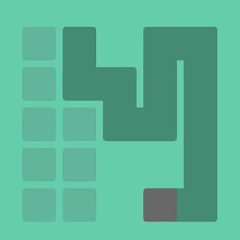
Sambungkan titik dengan satu garisan berterusan, tanpa mengeluarkan jari anda dari skrin!
Anda hanya boleh melukis garisan berturut-turut dari satu titik ke titik yang lain, jadi pastikan anda tidak tersalah langkah.
Setiap tahap adalah unik dan mempunyai tahap kesukaran yang berbeza. Jika anda menghadapi kesukaran atau kebuntuan dalam menyelesaikan teka-teki, anda boleh menggunakan petua percuma.
Anda hanya boleh melukis garisan berturut-turut dari satu titik ke titik yang lain, jadi pastikan anda tidak tersalah langkah.
Setiap tahap adalah unik dan mempunyai tahap kesukaran yang berbeza. Jika anda menghadapi kesukaran atau kebuntuan dalam menyelesaikan teka-teki, anda boleh menggunakan petua percuma.
Tag
Maklumat tambahan
Versi Terbaru:
1.0.1
Kategori:
KasualDitawarkan oleh:
Tay Can Team
Tersedia pada:

Permainan ini dimuat naik oleh pengguna, dan LeLeJoy hanya menyediakan perkhidmatan penyimpanan. Jika terdapat sebarang masalah hak cipta, sila hubungi [email protected], dan kami akan menanganinya dengan segera.
Maklumat tambahan
Versi Terbaru:
1.0.1
Kategori:
KasualDitawarkan oleh:
Tay Can Team
Tersedia pada:
Permainan ini dimuat naik oleh pengguna, dan LeLeJoy hanya menyediakan perkhidmatan penyimpanan. Jika terdapat sebarang masalah hak cipta, sila hubungi [email protected], dan kami akan menanganinya dengan segera.
Serupa dengan One Stroke Drawing:Connect dot







Disarankan untuk anda
One Stroke Drawing:Connect dot FAQ
1.How do I start a new drawing session in One Stroke Drawing:Connect dot?
Tap the 'Start' button to begin a new session. Choose your difficulty level and color palette.
2.Can I change the color of my drawing in One Stroke Drawing:Connect dot?
Yes, you can change colors by swiping left or right on the color palette during the game.
3.What happens if I make a mistake while drawing in One Stroke Drawing:Connect dot?
You can undo your last action by tapping the undo button. However, mistakes are part of the challenge, encouraging creativity.
4.How do I improve my skills in One Stroke Drawing:Connect dot?
Practice regularly, experiment with different levels and color schemes, and learn from your mistakes to enhance your skills.
One Stroke Drawing:Connect dot FAQ
1.How do I start a new drawing session in One Stroke Drawing:Connect dot?
Tap the 'Start' button to begin a new session. Choose your difficulty level and color palette.
2.Can I change the color of my drawing in One Stroke Drawing:Connect dot?
Yes, you can change colors by swiping left or right on the color palette during the game.
3.What happens if I make a mistake while drawing in One Stroke Drawing:Connect dot?
You can undo your last action by tapping the undo button. However, mistakes are part of the challenge, encouraging creativity.
4.How do I improve my skills in One Stroke Drawing:Connect dot?
Practice regularly, experiment with different levels and color schemes, and learn from your mistakes to enhance your skills.
Ulasan
0.0
1
2
3
4
5
Nilai apl ini
Ulasan
Tiada ulasan lagi
Imbas kod QR untuk Muat turun
Sertai kami
Mari main bersama
Telegram
![[object Object]](https://cfs-lele-res.lelejoy.com//xt_20231009160759/fltb_20231009160835/action_20240906150554.png)
![[object Object]](https://cfs-lele-res.lelejoy.com//xt_20231009160759/fltb_20231009160835/arcade_20240906151459.png)
![[object Object]](https://cfs-lele-res.lelejoy.com//xt_20231009160759/fltb_20231009160835/adventure_20240906150827.png)
![[object Object]](https://cfs-lele-res.lelejoy.com//xt_20231009160759/fltb_20231009160835/cards_20240906150736.png)
![[object Object]](https://cfs-lele-res.lelejoy.com//xt_20231009160759/fltb_20231009160835/casual_20240906151116.png)
![[object Object]](https://cfs-lele-res.lelejoy.com//xt_20231009160759/fltb_20231009160835/role playing_20240906150659.png)
![[object Object]](https://cfs-lele-res.lelejoy.com//xt_20231009160759/fltb_20231009160835/music_20240906151613.png)
![[object Object]](https://cfs-lele-res.lelejoy.com//xt_20231009160759/fltb_20231009160835/board_20240906151319.png)
![[object Object]](https://cfs-lele-res.lelejoy.com//xt_20231009160759/fltb_20231009160835/educational_20240906151731.png)
![[object Object]](https://cfs-lele-res.lelejoy.com//xt_20231009160759/fltb_20231009160835/simulation_20240906151428.png)
![[object Object]](https://cfs-lele-res.lelejoy.com//xt_20231009160759/fltb_20231009160835/word_20240906151903.png)
![[object Object]](https://cfs-lele-res.lelejoy.com//xt_20231009160759/fltb_20231009160835/racing_20240906151358.png)
![[object Object]](https://cfs-lele-res.lelejoy.com//xt_20231009160759/fltb_20231009160835/strategy_20240906151247.png)
![[object Object]](https://cfs-lele-res.lelejoy.com//xt_20231009160759/fltb_20231009160835/sports1_20241231162729.png)
![[object Object]](https://cfs-lele-res.lelejoy.com//xt_20231009160759/fltb_20231009160835/puzzle_20240906151806.png)
![[object Object]](https://cfs-lele-res.lelejoy.com//xt_20231009160759/fltb_20231009160835/trivia_20240906151841.png)

