

English

One Stroke Drawing:Connect dot v1.0.1
1.0.1
संस्करण
14 जून 2024
अपडेट किया गया
0
डाउनलोड
24.64MB
आकार
साझा करें One Stroke Drawing:Connect dot
तेजी से डाउनलोड
के बारे में One Stroke Drawing:Connect dot
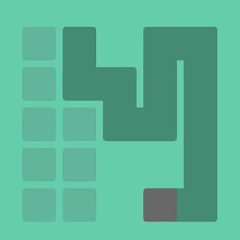
अपनी उंगली को स्क्रीन से हटाए बिना, बिंदुओं को एक एकल, सतत रेखा से कनेक्ट करें!
आप केवल एक बिंदु से दूसरे बिंदु तक एक के बाद एक रेखा खींच सकते हैं, इसलिए सुनिश्चित करें कि आप गलत कदम न उठाएं।
प्रत्येक स्तर अद्वितीय है और कठिनाई का एक अलग स्तर है। यदि आपको पहेली को पूरा करने में कठिनाई या गतिरोध है, तो आप निःशुल्क युक्तियों का उपयोग कर सकते हैं।
आप केवल एक बिंदु से दूसरे बिंदु तक एक के बाद एक रेखा खींच सकते हैं, इसलिए सुनिश्चित करें कि आप गलत कदम न उठाएं।
प्रत्येक स्तर अद्वितीय है और कठिनाई का एक अलग स्तर है। यदि आपको पहेली को पूरा करने में कठिनाई या गतिरोध है, तो आप निःशुल्क युक्तियों का उपयोग कर सकते हैं।
टैग्स
अतिरिक्त जानकारी
नवीनतम संस्करण:
1.0.1
श्रेणी:
लापरवाहइन्होंने ऑफ़र किया:
Tay Can Team
उपलब्ध पर:

यह गेम उपयोगकर्ताओं द्वारा अपलोड किया गया है, और LeLeJoy केवल संग्रहण सेवा प्रदान करता है। यदि कोई कॉपीराइट मुद्दे हों, तो कृपया [email protected] पर संपर्क करें, और हम इसे तत्काल संबोधित करेंगे।
अतिरिक्त जानकारी
नवीनतम संस्करण:
1.0.1
श्रेणी:
लापरवाहइन्होंने ऑफ़र किया:
Tay Can Team
उपलब्ध पर:
यह गेम उपयोगकर्ताओं द्वारा अपलोड किया गया है, और LeLeJoy केवल संग्रहण सेवा प्रदान करता है। यदि कोई कॉपीराइट मुद्दे हों, तो कृपया [email protected] पर संपर्क करें, और हम इसे तत्काल संबोधित करेंगे।
समान है One Stroke Drawing:Connect dot








आपके लिए अनुशंसित


One Stroke Drawing:Connect dot FAQ
1.How do I start a new drawing session in One Stroke Drawing:Connect dot?
Tap the 'Start' button to begin a new session. Choose your difficulty level and color palette.
2.Can I change the color of my drawing in One Stroke Drawing:Connect dot?
Yes, you can change colors by swiping left or right on the color palette during the game.
3.What happens if I make a mistake while drawing in One Stroke Drawing:Connect dot?
You can undo your last action by tapping the undo button. However, mistakes are part of the challenge, encouraging creativity.
4.How do I improve my skills in One Stroke Drawing:Connect dot?
Practice regularly, experiment with different levels and color schemes, and learn from your mistakes to enhance your skills.
One Stroke Drawing:Connect dot FAQ
1.How do I start a new drawing session in One Stroke Drawing:Connect dot?
Tap the 'Start' button to begin a new session. Choose your difficulty level and color palette.
2.Can I change the color of my drawing in One Stroke Drawing:Connect dot?
Yes, you can change colors by swiping left or right on the color palette during the game.
3.What happens if I make a mistake while drawing in One Stroke Drawing:Connect dot?
You can undo your last action by tapping the undo button. However, mistakes are part of the challenge, encouraging creativity.
4.How do I improve my skills in One Stroke Drawing:Connect dot?
Practice regularly, experiment with different levels and color schemes, and learn from your mistakes to enhance your skills.
समीक्षाएँ
0.0
1
2
3
4
5
इस खेल को रेट करें
समीक्षाएँ
अभी तक कोई समीक्षा नहीं
डाउनलोड करने के लिए QR कोड स्कैन करें
हमसे जुड़ें
चलो साथ खेलें
Telegram
![[object Object]](https://cfs-lele-res.lelejoy.com//xt_20231009160759/fltb_20231009160835/arcade_20240906151459.png)
![[object Object]](https://cfs-lele-res.lelejoy.com//xt_20231009160759/fltb_20231009160835/cards_20240906150736.png)
![[object Object]](https://cfs-lele-res.lelejoy.com//xt_20231009160759/fltb_20231009160835/sports1_20241231162729.png)
![[object Object]](https://cfs-lele-res.lelejoy.com//xt_20231009160759/fltb_20231009160835/action_20240906150554.png)
![[object Object]](https://cfs-lele-res.lelejoy.com//xt_20231009160759/fltb_20231009160835/board_20240906151319.png)
![[object Object]](https://cfs-lele-res.lelejoy.com//xt_20231009160759/fltb_20231009160835/racing_20240906151358.png)
![[object Object]](https://cfs-lele-res.lelejoy.com//xt_20231009160759/fltb_20231009160835/puzzle_20240906151806.png)
![[object Object]](https://cfs-lele-res.lelejoy.com//xt_20231009160759/fltb_20231009160835/role playing_20240906150659.png)
![[object Object]](https://cfs-lele-res.lelejoy.com//xt_20231009160759/fltb_20231009160835/strategy_20240906151247.png)
![[object Object]](https://cfs-lele-res.lelejoy.com//xt_20231009160759/fltb_20231009160835/casual_20240906151116.png)
![[object Object]](https://cfs-lele-res.lelejoy.com//xt_20231009160759/fltb_20231009160835/word_20240906151903.png)
![[object Object]](https://cfs-lele-res.lelejoy.com//xt_20231009160759/fltb_20231009160835/educational_20240906151731.png)
![[object Object]](https://cfs-lele-res.lelejoy.com//xt_20231009160759/fltb_20231009160835/music_20240906151613.png)
![[object Object]](https://cfs-lele-res.lelejoy.com//xt_20231009160759/fltb_20231009160835/trivia_20240906151841.png)
![[object Object]](https://cfs-lele-res.lelejoy.com//xt_20231009160759/fltb_20231009160835/adventure_20240906150827.png)
![[object Object]](https://cfs-lele-res.lelejoy.com//xt_20231009160759/fltb_20231009160835/simulation_20240906151428.png)

