

English
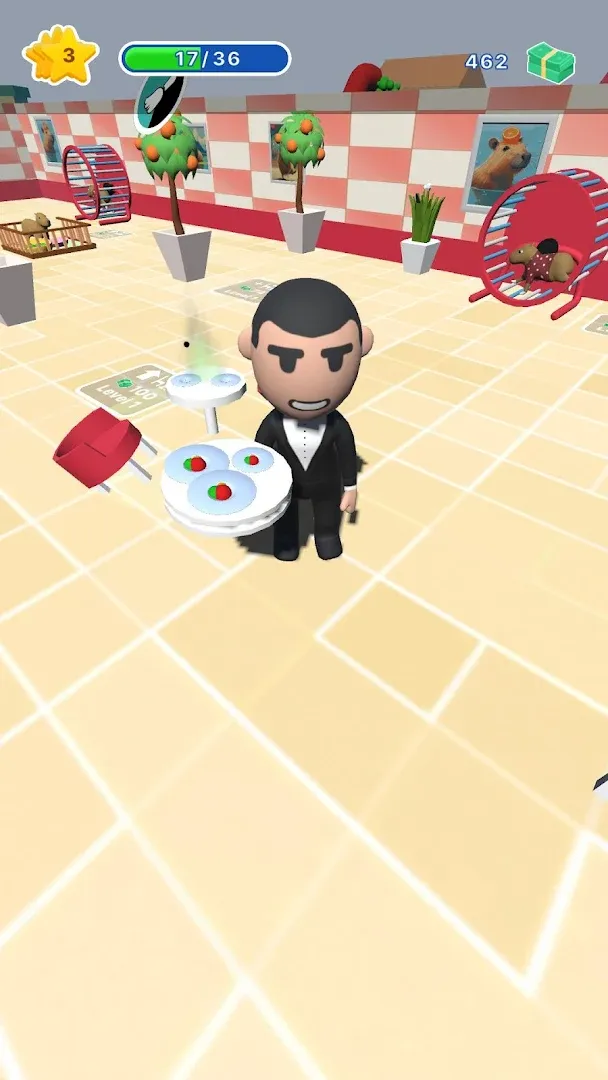
Capybara Cafe! v0.2
0.2
संस्करण
19 जून 2024
अपडेट किया गया
0
डाउनलोड
79.99MB
आकार
साझा करें Capybara Cafe!
तेजी से डाउनलोड
नया क्या है
new api
अतिरिक्त जानकारी
नवीनतम संस्करण:
0.2
श्रेणी:
सिमुलेशनइन्होंने ऑफ़र किया:
iddqd.hyper
उपलब्ध पर:

यह गेम उपयोगकर्ताओं द्वारा अपलोड किया गया है, और LeLeJoy केवल संग्रहण सेवा प्रदान करता है। यदि कोई कॉपीराइट मुद्दे हों, तो कृपया [email protected] पर संपर्क करें, और हम इसे तत्काल संबोधित करेंगे।
अतिरिक्त जानकारी
नवीनतम संस्करण:
0.2
श्रेणी:
सिमुलेशनइन्होंने ऑफ़र किया:
iddqd.hyper
उपलब्ध पर:
यह गेम उपयोगकर्ताओं द्वारा अपलोड किया गया है, और LeLeJoy केवल संग्रहण सेवा प्रदान करता है। यदि कोई कॉपीराइट मुद्दे हों, तो कृपया [email protected] पर संपर्क करें, और हम इसे तत्काल संबोधित करेंगे।
समान है Capybara Cafe!










आपके लिए अनुशंसित





Capybara Cafe! FAQ
1.How do I manage my cafe's inventory in Capybara Cafe!?
You can manage your cafe's inventory by visiting the 'Inventory' section in the main menu. Here, you can view, sort, and restock items for your cafe.
2.Can I customize the look of my cafe in Capybara Cafe!?
Yes, you can customize the look of your cafe by using decor items found within the game. Visit the 'Decor' section to select and place items around your cafe.
3.How do I level up my customers in Capybara Cafe!?
Level up your customers by serving them their favorite dishes repeatedly. As they level up, they will become more satisfied and bring in more friends.
4.What is the purpose of the 'Special Orders' feature in Capybara Cafe!?
The 'Special Orders' feature allows you to take on unique requests from customers that require specific items or dishes. Completing these orders rewards you with extra coins and experience points.
Capybara Cafe! FAQ
1.How do I manage my cafe's inventory in Capybara Cafe!?
You can manage your cafe's inventory by visiting the 'Inventory' section in the main menu. Here, you can view, sort, and restock items for your cafe.
2.Can I customize the look of my cafe in Capybara Cafe!?
Yes, you can customize the look of your cafe by using decor items found within the game. Visit the 'Decor' section to select and place items around your cafe.
3.How do I level up my customers in Capybara Cafe!?
Level up your customers by serving them their favorite dishes repeatedly. As they level up, they will become more satisfied and bring in more friends.
4.What is the purpose of the 'Special Orders' feature in Capybara Cafe!?
The 'Special Orders' feature allows you to take on unique requests from customers that require specific items or dishes. Completing these orders rewards you with extra coins and experience points.
समीक्षाएँ
0.0
1
2
3
4
5
इस खेल को रेट करें
समीक्षाएँ
अभी तक कोई समीक्षा नहीं
डाउनलोड करने के लिए QR कोड स्कैन करें
हमसे जुड़ें
चलो साथ खेलें
Telegram
![[object Object]](https://cfs-lele-res.lelejoy.com//xt_20231009160759/fltb_20231009160835/arcade_20240906151459.png)
![[object Object]](https://cfs-lele-res.lelejoy.com//xt_20231009160759/fltb_20231009160835/cards_20240906150736.png)
![[object Object]](https://cfs-lele-res.lelejoy.com//xt_20231009160759/fltb_20231009160835/sports1_20241231162729.png)
![[object Object]](https://cfs-lele-res.lelejoy.com//xt_20231009160759/fltb_20231009160835/action_20240906150554.png)
![[object Object]](https://cfs-lele-res.lelejoy.com//xt_20231009160759/fltb_20231009160835/board_20240906151319.png)
![[object Object]](https://cfs-lele-res.lelejoy.com//xt_20231009160759/fltb_20231009160835/racing_20240906151358.png)
![[object Object]](https://cfs-lele-res.lelejoy.com//xt_20231009160759/fltb_20231009160835/puzzle_20240906151806.png)
![[object Object]](https://cfs-lele-res.lelejoy.com//xt_20231009160759/fltb_20231009160835/role playing_20240906150659.png)
![[object Object]](https://cfs-lele-res.lelejoy.com//xt_20231009160759/fltb_20231009160835/strategy_20240906151247.png)
![[object Object]](https://cfs-lele-res.lelejoy.com//xt_20231009160759/fltb_20231009160835/casual_20240906151116.png)
![[object Object]](https://cfs-lele-res.lelejoy.com//xt_20231009160759/fltb_20231009160835/word_20240906151903.png)
![[object Object]](https://cfs-lele-res.lelejoy.com//xt_20231009160759/fltb_20231009160835/educational_20240906151731.png)
![[object Object]](https://cfs-lele-res.lelejoy.com//xt_20231009160759/fltb_20231009160835/music_20240906151613.png)
![[object Object]](https://cfs-lele-res.lelejoy.com//xt_20231009160759/fltb_20231009160835/trivia_20240906151841.png)
![[object Object]](https://cfs-lele-res.lelejoy.com//xt_20231009160759/fltb_20231009160835/adventure_20240906150827.png)
![[object Object]](https://cfs-lele-res.lelejoy.com//xt_20231009160759/fltb_20231009160835/simulation_20240906151428.png)

